PoE vs Non-PoE Switch
Introduction
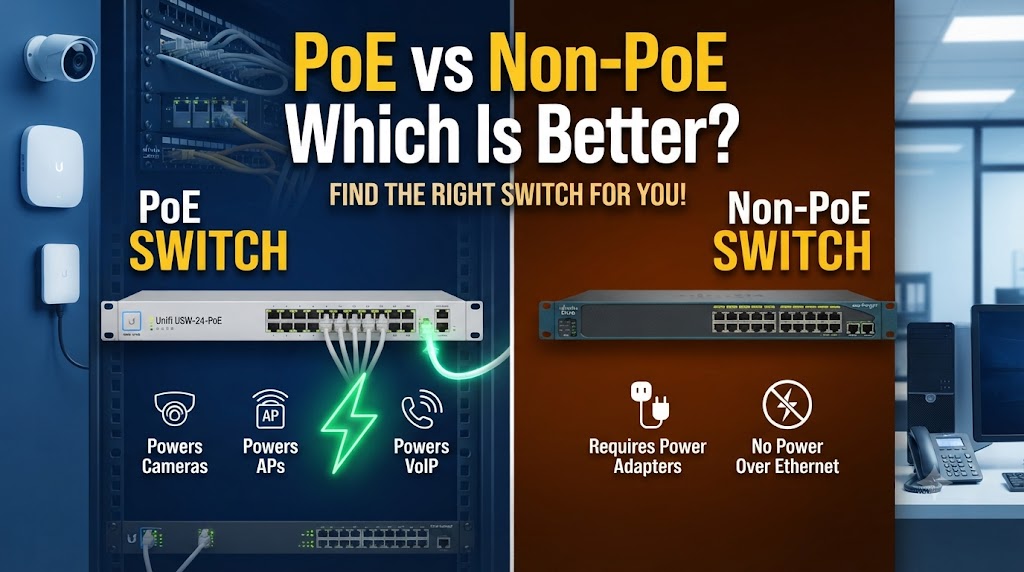
PoE and Non-PoE switches are both used to connect multiple devices within a wired Ethernet network. The main difference is that a PoE (Power over Ethernet) switch can deliver both network data and electrical power through compatible Ethernet cables, while a Non-PoE switch normally provides network connectivity without supplying power to connected devices. PoE switches are particularly useful for IP cameras, wireless access points, VoIP phones, and other compatible devices because they can reduce the need for separate power adapters and electrical connections.
A Non-PoE switch can be a practical choice when connected devices already have their own power supplies or when PoE is not required. A PoE switch, on the other hand, can simplify installations where several powered network devices are located away from electrical outlets. The better choice depends on the type of devices you want to connect, the required PoE power budget, installation layout, and whether you expect to use powered Ethernet devices in the future.
Quick Comparison Table
| Feature | PoE Switch | Non-PoE Switch |
|---|---|---|
| Network Connectivity | Yes | Yes |
| Power Through Ethernet | Yes, on compatible ports | No |
| Suitable for IP Cameras | Yes | Yes, but separate power required |
| Suitable for Wi-Fi Access Points | Yes | Yes, but separate power required |
| Suitable for VoIP Phones | Yes | Yes, but separate power required |
| Separate Power Adapter | Often not needed for compatible devices | Usually required for powered devices |
| Installation | Can be simpler | Simple for ordinary Ethernet devices |
| Cable Requirement | Compatible Ethernet cabling | Compatible Ethernet cabling |
| Cost | Generally higher | Generally lower |
| Power Budget | Has a specified PoE budget | Not applicable |
| Best Use | PoE-powered devices | Standard wired devices |
PoE vs Non-PoE Switch: How They Work
A normal Ethernet switch receives network data from one device and forwards it to another device.
A PoE switch performs the same networking function but can also supply electrical power through Ethernet to compatible devices.
For example, an IP camera connected to a suitable PoE switch can receive:
Data + Power → through one Ethernet cable
With a Non-PoE switch, the camera can still receive network data, but it normally needs a separate power source.
Simple example
PoE setup:
IP Camera → Ethernet cable → PoE Switch
Non-PoE setup:
IP Camera → Ethernet cable → Non-PoE Switch
IP Camera → Separate power adapter → Electrical outlet
This is one of the main practical differences between the two switch types.
PoE vs Non-PoE: Power Delivery
A PoE switch can provide power to compatible powered devices through Ethernet.
Depending on the PoE standard and switch, different amounts of power can be delivered. Common standards include 802.3af, 802.3at, and 802.3bt, which provide progressively higher power capabilities.
The powered device and switch must support compatible PoE requirements.
A Non-PoE switch does not normally provide this power through its Ethernet ports.
Why does this matter?
If you are installing several IP cameras, a PoE switch can reduce the number of separate power connections required.
This can make cabling more organized and can be particularly useful when cameras are installed in locations without convenient electrical outlets.
PoE vs Non-PoE Switch for CCTV
PoE switches are particularly useful for IP CCTV systems.
A compatible PoE camera can receive both power and network data from the same Ethernet cable.
For example, eight PoE cameras can potentially be connected to an appropriate PoE switch without requiring a separate power adapter at every camera location.
However, the switch must have enough:
- PoE ports
- Total PoE power budget
- Network capacity
- Suitable PoE standard
Example
Suppose a camera requires 8W and you have eight cameras.
The cameras could require approximately:
8 × 8W = 64W
The switch should therefore have a sufficient PoE power budget, with additional capacity for startup and other requirements.
The exact power requirement should always be checked from the camera manufacturer’s specifications.
PoE vs Non-PoE Switch for Wi-Fi Access Points
PoE switches are also useful for wireless access points.
An access point may be mounted on a ceiling or another location where installing a separate electrical outlet is inconvenient.
With PoE, a single Ethernet cable can carry network connectivity and power to the access point, provided the access point supports the required PoE standard.
This can simplify installation and reduce visible power cables.
PoE vs Non-PoE Switch for VoIP Phones
PoE switches can also power compatible VoIP phones.
Instead of connecting the phone to Ethernet and separately connecting a power adapter, a compatible PoE port can provide both functions.
This can be particularly useful in offices with many desk phones.
A Non-PoE switch can still provide the network connection, but a separate power source may be needed for the phone.
PoE vs Non-PoE: Installation
PoE can simplify installations because one Ethernet cable can carry both power and data.
This is especially useful for devices installed:
- On ceilings
- On walls
- Outdoors with appropriate protection
- In CCTV locations
- In difficult-to-reach areas
- Away from electrical outlets
A Non-PoE switch may require separate power cabling for these devices.
For a network containing only computers, printers, TVs, and other independently powered equipment, this advantage may not matter much.
PoE vs Non-PoE: Cost
Non-PoE switches are generally less expensive because they do not include PoE power-delivery hardware.
PoE switches usually cost more, particularly models with a larger number of PoE ports and higher power budgets.
However, the overall installation cost is not determined by the switch price alone.
A PoE switch can potentially reduce the need for separate power adapters, electrical outlets, and additional power cabling.
For CCTV or access-point installations, these installation savings can be important.
PoE vs Non-PoE: Power Budget
One important specification of a PoE switch is its total PoE power budget.
For example, a switch might have a total power budget of 120W. This does not necessarily mean that every port can continuously provide 120W.
The available power is shared according to the switch’s specifications.
Before purchasing a PoE switch, calculate the power requirements of the devices you intend to connect.
Example
If you have:
- 8 cameras × 8W = 64W
- 2 access points × 15W = 30W
Total estimated requirement:
64W + 30W = 94W
A PoE switch with a 94W or higher usable power budget would be needed, with additional margin preferably considered for real-world operation.
PoE vs Non-PoE: Network Speed
PoE and Non-PoE describe power capability, not automatically network speed.
A PoE switch can be:
- 100 Mbps
- Gigabit
- Multi-Gigabit
Similarly, Non-PoE switches are available at different network speeds.
Therefore, do not choose a switch based only on whether it supports PoE. Also check its Ethernet port speed and overall switching capacity.
PoE vs Non-PoE: Reliability
PoE can simplify the power arrangement for compatible devices because power is delivered from the network switch.
Some PoE switches also provide management features that allow administrators to monitor or control power on individual ports, depending on the model.
A Non-PoE switch does not provide this integrated power-delivery function.
However, the reliability of a PoE installation also depends on the quality of the switch, Ethernet cabling, connected devices, power source, and installation.
PoE vs Non-PoE: Cable Requirements
PoE uses Ethernet cabling to carry power and data.
The appropriate cable type, cable length, connector quality, and installation conditions should be considered when building a PoE network.
For longer cable runs or higher-power PoE applications, using suitable cable and following the relevant Ethernet and PoE specifications becomes especially important.
A poor-quality cable can create unnecessary network or power-delivery problems.
PoE vs Non-PoE: Which One Should You Choose?
Choose a PoE switch if:
- You are installing IP CCTV cameras.
- You need to power compatible Wi-Fi access points.
- You use PoE VoIP phones.
- Devices are located far from electrical outlets.
- You want to reduce separate power cabling.
- You expect to add PoE devices later.
Choose a Non-PoE switch if:
- You only need ordinary Ethernet connectivity.
- Connected devices already have their own power supplies.
- You do not need PoE-powered cameras or access points.
- Keeping the switch cost lower is important.
- There is no practical need for Ethernet-based power.
PoE vs Non-PoE Switch: Overall Winner
Depends on the network requirements.
A PoE switch is more suitable when the network includes compatible devices that need power through Ethernet, such as IP cameras, access points, and VoIP phones.
A Non-PoE switch is sufficient when the connected devices already have their own power sources and you only need Ethernet connectivity.
For a CCTV installation, PoE can simplify the overall cabling because compatible cameras can receive power and data through the same Ethernet cable. For a basic computer network, a Non-PoE switch may provide everything required.
Conclusion
PoE and Non-PoE switches perform the basic job of connecting Ethernet devices, but PoE adds the ability to deliver power through compatible Ethernet ports. This makes PoE switches particularly useful for IP cameras, wireless access points, VoIP phones, and other powered network devices.
A Non-PoE switch can be a straightforward and lower-cost option when power delivery is not required. The right choice should therefore be based on the devices in your network rather than simply choosing the switch with more features.
Before buying a PoE switch, check the PoE standard, number of PoE ports, total power budget, port speed, and the power requirements of the devices you plan to connect.
Disclaimer
PoE functionality and available power can vary by switch model, PoE standard, port configuration, cable quality, cable length, and connected device. Always check the manufacturer’s specifications for the switch and powered devices before installation. Network and power performance can also depend on installation conditions and equipment compatibility.