USB Hub vs Docking Station
Introduction
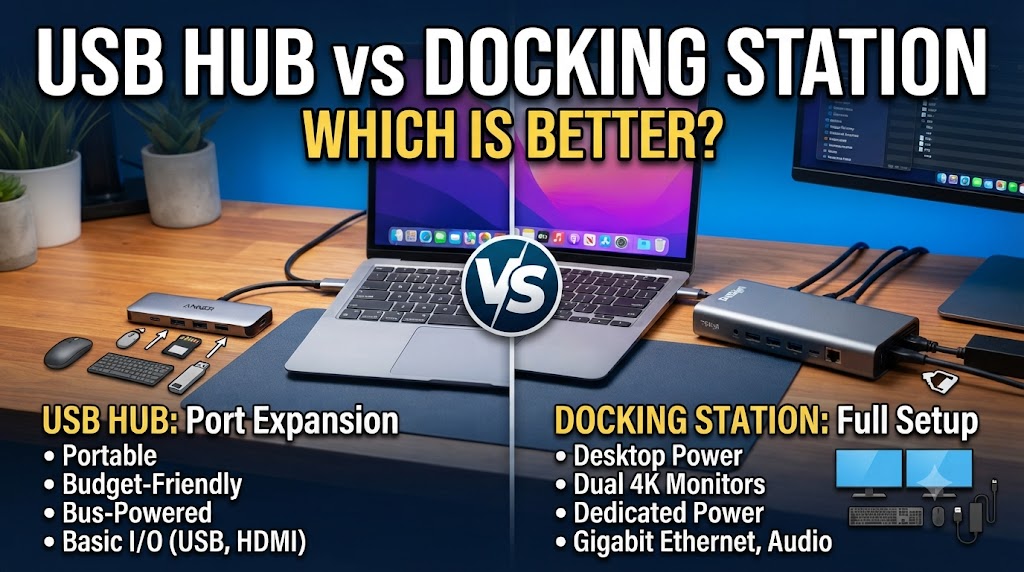
A USB hub and a docking station both expand the connectivity of a laptop or computer, but they are designed for different levels of connectivity. A USB hub typically adds extra USB ports and may include connections such as HDMI, Ethernet, SD card, or audio. It is generally compact and convenient when you need a few additional ports without a complicated setup.
A docking station is designed to provide a more complete workstation connection. Depending on the model, it can connect multiple displays, USB devices, Ethernet, audio equipment, storage devices, and other peripherals through a single connection to a compatible computer. The better choice depends on how many devices you need to connect, the type of ports required, your display setup, and whether you want a portable or permanent workstation.
Quick Comparison Table
| Feature | USB Hub | Docking Station |
|---|---|---|
| Main purpose | Adds extra ports | Creates a complete workstation connection |
| Number of ports | Usually fewer | Usually more |
| Multiple displays | Limited by model and computer | More commonly supported |
| USB ports | Yes | Yes |
| Ethernet | Some models | Common on many models |
| HDMI/DisplayPort | Some models | Common on many models |
| Power delivery | Available on some models | Common on many models |
| Portability | Usually excellent | Usually less portable |
| Setup | Simple | More extensive |
| Best for | Basic connectivity expansion | Full desktop-style setup |
USB Hub vs Docking Station: How Do They Work?
How Does a USB Hub Work?
A USB hub connects to a computer through a single port and provides additional ports for peripherals.
For example, if your laptop has only a few USB ports, a hub can let you connect a keyboard, mouse, USB drive, and other accessories.
Some modern hubs also include video output, Ethernet, memory-card readers, and USB-C power delivery.
How Does a Docking Station Work?
A docking station acts as a central connection point for multiple peripherals. A compatible laptop can connect to the dock through one cable, while monitors, keyboards, mice, Ethernet, storage devices, and other accessories remain connected to the dock.
This can reduce the need to repeatedly connect and disconnect several cables when moving between a portable laptop setup and a desk workstation.
Number of Ports
Winner: Docking Station
Docking stations generally provide a larger selection of ports than basic USB hubs.
Depending on the model, a dock may include multiple USB ports, video outputs, Ethernet, audio, memory-card slots, and other connections.
A USB hub can also provide several ports, but compact models usually focus on portability and basic expansion.
Practical meaning: If you regularly connect many peripherals, a docking station can provide a more centralized setup.
Portability
Winner: USB Hub
USB hubs are usually smaller and lighter than docking stations. Many can fit easily into a laptop bag or even a pocket.
Docking stations are generally designed to remain on a desk. Some compact docks are portable, but they can still require additional cables and power accessories.
If you frequently travel with your laptop and only need a few extra ports, a USB hub can be more convenient.
Multiple Monitor Support
Winner: Depends on the Model
Docking stations are commonly designed with multiple display connections, making them useful for multi-monitor workstations.
However, support for multiple monitors depends on the docking technology, computer hardware, operating system, available bandwidth, and display outputs.
Some USB hubs also provide HDMI or DisplayPort output, but their display capabilities can be more limited.
Therefore, always check the maximum supported resolution, refresh rate, number of displays, and computer compatibility before purchasing.
USB Connectivity
Depends
Both products can provide additional USB ports.
A USB hub may be sufficient if your main requirement is connecting a keyboard, mouse, USB drive, printer, or other USB accessories.
A docking station can provide USB connectivity along with several other types of ports.
The right choice depends on whether you need only additional USB connections or a complete workstation connection.
Ethernet Connectivity
Winner: Docking Station — generally
Many docking stations include Ethernet ports for wired networking.
Some USB hubs also provide Ethernet, particularly USB-C multiport hubs, so this feature is not exclusive to docks.
If wired networking is important, check that the specific hub or dock includes the Ethernet standard and speed you require.
Video Connectivity
Winner: Docking Station — generally
Docking stations are commonly designed to support one or more external displays.
USB hubs can also include HDMI or DisplayPort, but their video capabilities vary considerably.
A dock may therefore be more suitable for a desk setup involving one or multiple external monitors, provided the laptop and dock support the required display configuration.
Power Delivery
Winner: Docking Station — generally
Many docking stations support USB Power Delivery, allowing a compatible laptop to receive power through the same connection used for the dock.
Some USB-C hubs also support pass-through charging.
The maximum charging power varies by model, so the dock or hub should be checked against the laptop’s power requirements.
Setup and Convenience
Winner: Docking Station for a permanent workstation; USB Hub for simple expansion
A USB hub is generally straightforward: connect it to the computer and then connect your peripherals.
A docking station can require more setup, particularly when connecting monitors, Ethernet, power, and multiple peripherals.
However, once a dock is configured, it can make daily workstation use very convenient. You can often connect the laptop to the dock with one cable instead of reconnecting each peripheral individually.
Performance
Depends
Neither category automatically guarantees a particular performance level.
USB data speed, display performance, network speed, charging power, and other capabilities depend on the specific hub or dock, its interface, the computer’s ports, and the connected devices.
A high-quality USB hub can outperform a basic dock in a particular function, while a capable docking station can offer much broader connectivity.
Compatibility
Depends
Compatibility is particularly important with USB-C hubs and docking stations.
A USB-C port does not necessarily support every feature offered by a USB-C hub or dock. Display output, power delivery, data speeds, and other functions depend on the computer’s hardware and supported standards.
Some docking stations also use specific technologies that may have additional compatibility requirements.
Before buying, check the laptop’s port capabilities and the dock or hub’s compatibility list.
Desk Organization
Winner: Docking Station
A docking station can act as the central connection point for a desktop setup.
You can leave your monitor, keyboard, mouse, Ethernet cable, speakers, storage devices, and other accessories connected to the dock. When you return with your laptop, a single cable can connect it to the workstation.
A USB hub can provide some of the same convenience, but usually with fewer workstation-oriented features.
USB Hub vs Docking Station: Pros and Cons
USB Hub
Pros
- Compact and portable
- Usually simple to use
- Adds extra USB ports
- Often more affordable
- Some models include HDMI, Ethernet, and card readers
- Convenient for travel
Cons
- Usually fewer ports than a docking station
- Multi-monitor support may be limited
- Advanced workstation features may be unavailable
- Capability varies significantly between models
Docking Station
Pros
- More extensive connectivity
- Useful for multiple monitors
- Often includes Ethernet
- Can support laptop charging
- Excellent for permanent desk setups
- Reduces repeated cable connections
Cons
- Usually larger
- Less portable
- Can cost more
- Compatibility requirements can be more complex
- Some models require an external power supply
Which Is Better for Different Users?
USB Hub Is Better For:
- Students
- Travelers
- Laptop users who need extra USB ports
- People connecting a keyboard and mouse
- Users who want a compact accessory
- People who need occasional connectivity expansion
Docking Station Is Better For:
- Office workers
- People using multiple monitors
- Desktop-style laptop setups
- Users with many peripherals
- People who want one-cable workstation connectivity
- Users who regularly connect Ethernet and external displays
USB Hub vs Docking Station: Which Is Better?
Overall Choice: Depends on Your Connectivity Needs
A USB hub is more suitable when you mainly need additional ports and want a compact accessory that is easy to carry. It can be a practical solution for connecting everyday peripherals without adding a large workstation setup.
A docking station is more suitable when you want to turn a laptop into a more complete desktop workstation. Multiple monitors, Ethernet, USB peripherals, external storage, and laptop charging can all be centralized through a compatible dock.
So, choose a USB hub for simple and portable connectivity expansion, while choosing a docking station for a more complete and permanent workstation setup.
Disclaimer
USB hubs and docking stations differ significantly in supported ports, data speeds, display capabilities, charging power, and computer compatibility. USB-C ports do not all support the same functions. Always check the specifications of your laptop, hub, or docking station before purchasing. Product specifications and prices may change over time.