Wi-Fi 6 vs Wi-Fi 6E
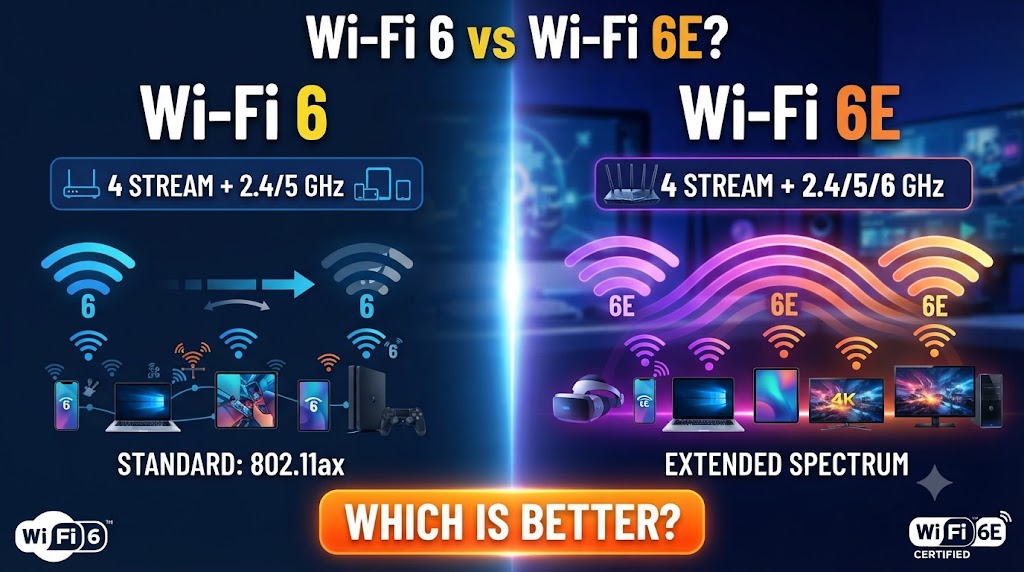
Wi-Fi 6 and Wi-Fi 6E are based on the same 802.11ax Wi-Fi technology, but they are not exactly the same. The main difference is the frequency spectrum they can use. Wi-Fi 6 primarily operates on the 2.4GHz and 5GHz bands, while Wi-Fi 6E adds access to the 6GHz band. This additional spectrum can provide more room for compatible devices, especially in networks with heavy Wi-Fi congestion. (Intel)
The choice between Wi-Fi 6 vs Wi-Fi 6E depends on your router, devices, internet connection, home size, and network environment. Wi-Fi 6 can already provide strong performance for everyday browsing, streaming, gaming, CCTV, and smart-home devices. Wi-Fi 6E becomes more useful when you have compatible 6GHz devices and want access to the newer 6GHz spectrum.
Quick Comparison: Wi-Fi 6 vs Wi-Fi 6E
| Feature | Wi-Fi 6 | Wi-Fi 6E |
|---|---|---|
| Standard | 802.11ax | 802.11ax |
| Frequency Bands | 2.4GHz + 5GHz | 2.4GHz + 5GHz + 6GHz |
| 6GHz Support | No | Yes |
| OFDMA | Yes | Yes |
| MU-MIMO | Yes | Yes |
| 1024-QAM | Yes | Yes |
| 160MHz Channels | Supported | Supported |
| Congestion | Can be higher on busy networks | Less legacy-device congestion on 6GHz |
| Compatible Devices | Wi-Fi 6 and older Wi-Fi devices | Requires Wi-Fi 6E-compatible devices for 6GHz |
| Best For | Most homes and general use | High-speed, low-congestion networks |
| Main Advantage | Strong performance and compatibility | Extra 6GHz spectrum |
What Is Wi-Fi 6?
Wi-Fi 6 is based on the IEEE 802.11ax standard. It was designed to improve wireless performance, capacity, and efficiency, particularly when many devices are connected to the same network.
Wi-Fi 6 devices commonly operate on the 2.4GHz and 5GHz bands. Features such as OFDMA and MU-MIMO help the router handle multiple connected devices more efficiently. (Intel)
Advantages of Wi-Fi 6
- Good performance for everyday internet use
- Supports 2.4GHz and 5GHz connectivity
- Better efficiency with multiple devices
- Supports OFDMA and MU-MIMO
- Works with a large range of existing Wi-Fi devices
- Suitable for gaming, streaming, CCTV, and smart-home devices
For most homes, Wi-Fi 6 can already provide a substantial improvement over older Wi-Fi generations.
What Is Wi-Fi 6E?
Wi-Fi 6E extends Wi-Fi 6 technology into the 6GHz band. In other words, Wi-Fi 6E is not a completely new Wi-Fi generation; it adds the 6GHz spectrum to Wi-Fi 6.
The 6GHz band provides additional spectrum and more room for wider channels. Because older Wi-Fi devices do not use this new band, compatible Wi-Fi 6E devices can benefit from a cleaner wireless environment. (Intel)
Advantages of Wi-Fi 6E
- Adds the 6GHz band
- Provides additional wireless spectrum
- Can reduce congestion from older Wi-Fi devices
- Supports high-speed connections with compatible hardware
- Useful for dense networks and high-bandwidth applications
- Keeps 2.4GHz and 5GHz support for compatible devices
However, Wi-Fi 6E’s advantages are most noticeable when both the router and client device support 6GHz.
Wi-Fi 6 vs Wi-Fi 6E: Frequency Bands
This is the biggest difference between Wi-Fi 6 vs Wi-Fi 6E.
Wi-Fi 6:
2.4GHz + 5GHz
Wi-Fi 6E:
2.4GHz + 5GHz + 6GHz
Wi-Fi 6E therefore provides an additional wireless band that Wi-Fi 6 devices cannot use. Intel describes Wi-Fi 6E as the extension of Wi-Fi 6 into the 6GHz spectrum. (Intel)
What Does the 6GHz Band Actually Change?
The 6GHz band provides additional spectrum for compatible devices. Intel notes that 6GHz offers substantially more spectrum than 2.4GHz and 5GHz, including more opportunities for wide channels. (Intel)
Practical meaning: If many nearby Wi-Fi networks are competing for the same 2.4GHz and 5GHz spectrum, 6GHz can provide another area for compatible devices to operate.
Wi-Fi 6 vs Wi-Fi 6E: Speed
Wi-Fi 6E is not automatically faster than Wi-Fi 6 in every situation.
Both technologies are based on 802.11ax, and actual speed depends on the router, client device, channel width, signal conditions, network congestion, and internet connection.
The major advantage of Wi-Fi 6E is that the 6GHz band can provide additional capacity and wide channels rather than simply increasing the theoretical speed of every connection. (Intel)
Which Is Faster in Real Use?
If you compare two similarly capable devices under good conditions, a Wi-Fi 6E connection using 6GHz can provide very high wireless performance.
But if your internet plan is only 100Mbps or your device has limited Wi-Fi hardware, moving from Wi-Fi 6 to Wi-Fi 6E may not produce a noticeable increase in internet speed.
Practical result: Wi-Fi 6E’s advantage is often about additional spectrum, capacity, and lower congestion, not simply a higher speed number.
Wi-Fi 6 vs Wi-Fi 6E: Range
Higher-frequency Wi-Fi bands generally have shorter effective range and can lose signal strength more quickly through obstacles than lower-frequency bands.
Therefore, 6GHz is excellent for fast connections when the device is relatively close to the router, but it is not automatically the best choice for covering a large house.
For longer distances, 2.4GHz can still be useful because it generally provides greater range than 5GHz and 6GHz. (Intel)
Which Is Better for Large Homes?
Wi-Fi 6 may be more practical when coverage is the main concern.
However, the overall result depends on router placement, walls, floors, antennas, mesh systems, and the bands used by your devices.
Wi-Fi 6 vs Wi-Fi 6E: Congestion
Network congestion is one of the strongest reasons to consider Wi-Fi 6E.
The 2.4GHz and 5GHz bands are already heavily used by many Wi-Fi devices. The 6GHz band provides additional spectrum that is accessible to newer Wi-Fi 6E devices. (Intel)
Why Does 6GHz Help?
Imagine a crowded road with limited lanes. Adding another road gives compatible vehicles more space.
The 6GHz band works similarly. It gives Wi-Fi 6E devices additional spectrum, which can be especially useful in apartments, offices, and other environments where many networks are operating nearby.
Wi-Fi 6 vs Wi-Fi 6E for Gaming
Both Wi-Fi 6 and Wi-Fi 6E can work well for online gaming.
Wi-Fi 6E can be particularly useful when a gaming device supports 6GHz and the surrounding 2.4GHz/5GHz environment is congested.
However, gaming latency also depends on the internet connection, server distance, network traffic, and router performance.
So buying a Wi-Fi 6E router does not automatically guarantee lower ping.
Wi-Fi 6 vs Wi-Fi 6E for Streaming
For 4K streaming and other high-bandwidth activities, both Wi-Fi 6 and Wi-Fi 6E can provide sufficient wireless performance when properly configured.
Wi-Fi 6E becomes more useful when several high-bandwidth devices are active simultaneously and compatible devices can use the 6GHz band.
For a single streaming TV in a normal home, Wi-Fi 6 may already be sufficient.
Wi-Fi 6 vs Wi-Fi 6E for Multiple Devices
Wi-Fi 6 was designed with networks containing many connected devices in mind. Features such as OFDMA and MU-MIMO help improve network efficiency. (Intel)
Wi-Fi 6E adds another spectrum option.
This can be useful when you have many newer devices such as:
- Laptops
- Smartphones
- Tablets
- Gaming PCs
- VR devices
- Streaming devices
The important point is that only compatible Wi-Fi 6E devices can take advantage of the 6GHz band.
Wi-Fi 6 vs Wi-Fi 6E: Device Compatibility
Compatibility is an important difference.
A Wi-Fi 6E router can still provide connectivity for older devices through its other supported bands. However, an older Wi-Fi 6 device cannot suddenly gain 6GHz capability simply because you connect it to a Wi-Fi 6E router.
Intel’s product information shows that Wi-Fi 6 devices can operate on 2.4GHz and 5GHz, while Wi-Fi 6E products add 6GHz support. (Intel)
Do You Need a Wi-Fi 6E Device?
Yes, if you want to use the 6GHz band.
For example, if you buy a Wi-Fi 6E router but your laptop only supports Wi-Fi 6, that laptop will continue using its supported 2.4GHz or 5GHz connection.
Wi-Fi 6 vs Wi-Fi 6E: Router Upgrade
If you already own a good Wi-Fi 6 router, you do not necessarily need to replace it.
An upgrade makes more sense when:
- You have Wi-Fi 6E-compatible devices
- Your current 5GHz network is congested
- You need high wireless throughput
- You transfer large files over the local network
- You use demanding wireless applications
- You want access to 6GHz
If your current Wi-Fi 6 network works well, the practical improvement from upgrading may be limited.
Is Wi-Fi 6E Better for the Future?
Wi-Fi 6E gives access to the 6GHz spectrum, making it useful for newer devices and high-capacity wireless networks.
However, the availability and permitted use of 6GHz spectrum depend on regulations in each country or region. (Intel)
Therefore, before buying a Wi-Fi 6E router, check whether 6GHz Wi-Fi is supported for your intended use in your country.
Wi-Fi 6 vs Wi-Fi 6E: Which One Should You Choose?
Choose Wi-Fi 6 if:
- You want a reliable modern Wi-Fi connection
- Most of your devices support Wi-Fi 6 or older standards
- You mainly use 2.4GHz and 5GHz
- Your current network is not heavily congested
- You want good performance without specifically needing 6GHz
Choose Wi-Fi 6E if:
- You have compatible Wi-Fi 6E devices
- You want access to 6GHz
- Your area has significant Wi-Fi congestion
- You need additional wireless capacity
- You frequently transfer large files or use demanding wireless applications
- You want to take advantage of newer 6GHz-compatible hardware
Wi-Fi 6 vs Wi-Fi 6E: Final Comparison
Wi-Fi 6 and Wi-Fi 6E share the same basic 802.11ax technology and many of the same features. The major difference is that Wi-Fi 6E adds the 6GHz band.
For a typical home, Wi-Fi 6 can provide excellent performance for browsing, streaming, gaming, CCTV, and smart-home devices. Wi-Fi 6E becomes more useful when you have compatible 6GHz devices and need additional spectrum or lower congestion. So the practical choice depends more on your devices and network environment than simply choosing the newer name.
s Wi-Fi 6E Router, Wi-Fi 6 vs Wi-Fi 6E Speed, Wi-Fi 6E Comparison, Wi-Fi 6 vs Wi-Fi 6E Performance
Disclaimer
Wi-Fi performance can vary depending on the router, client device, channel width, distance, walls, network congestion, internet connection, and local regulations. Specifications and features may change over time, so check the manufacturer’s current specifications before purchasing networking equipment.