Cat6 vs Cat6a Cable
Introduction
Cat6 and Cat6a are Ethernet cable categories designed for high-speed wired networking. Both can support Gigabit Ethernet and can be used for computers, routers, switches, IP cameras, access points, and other network devices. Cat6 is widely used for home and office networks because it offers strong performance without being unnecessarily expensive. Cat6a builds on Cat6 with higher performance specifications and is designed to support 10 Gigabit Ethernet over the full standard 100-meter channel.
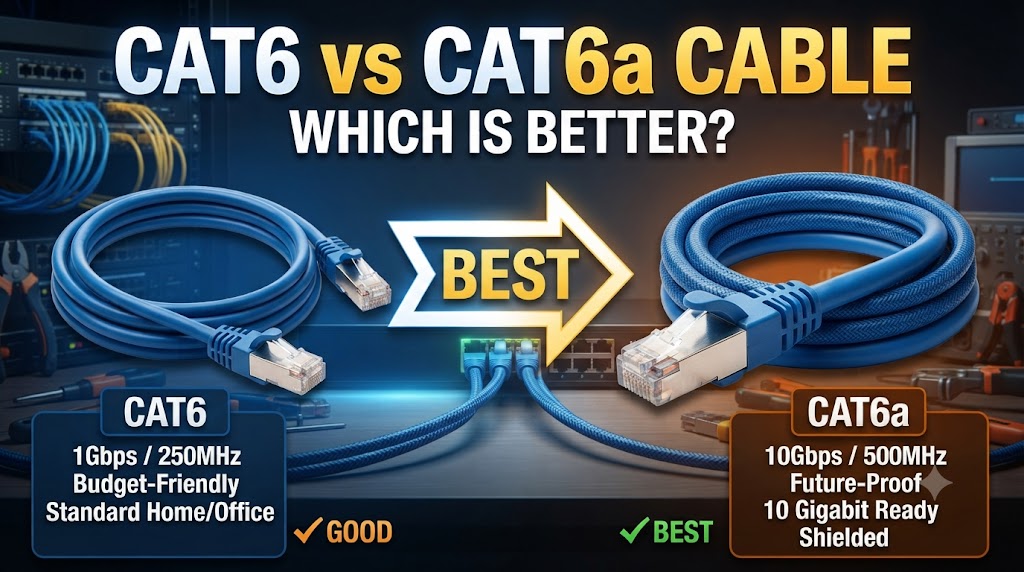
The main difference between Cat6 and Cat6a is their ability to maintain higher-speed transmission over longer distances and their improved resistance to crosstalk. Cat6 is rated up to 250 MHz, while Cat6a is rated up to 500 MHz. Cat6 can support 10 Gbps over shorter distances, generally up to 55 meters depending on installation conditions, whereas Cat6a is designed for 10 Gbps operation up to 100 meters. The better choice depends on the network speed, cable distance, installation environment, and future requirements.
Quick Comparison Table
| Feature | Cat6 | Cat6a |
|---|---|---|
| Cable Category | Category 6 | Category 6A |
| Frequency Rating | Up to 250 MHz | Up to 500 MHz |
| 1 Gbps Support | Up to 100 m | Up to 100 m |
| 10 Gbps Support | Up to 55 m* | Up to 100 m |
| Crosstalk Control | Good | Better |
| Cable Size | Generally smaller | Generally thicker |
| Flexibility | Generally easier to handle | Usually less flexible |
| Cost | Generally lower | Generally higher |
| Home Networks | Suitable | Suitable |
| Large/High-Speed Networks | Suitable for many installations | Better suited to demanding installations |
*The supported 10 Gbps distance for Cat6 depends on installation conditions and channel characteristics.
Cat6 vs Cat6a: Speed
For standard Gigabit Ethernet, both Cat6 and Cat6a can support speeds up to 1 Gbps over up to 100 meters under appropriate installation conditions.
The bigger difference appears with 10 Gigabit Ethernet.
Cat6 can support 10 Gbps over shorter distances, commonly up to around 55 meters depending on the installation. Cat6a is designed to support 10 Gbps Ethernet over the full 100-meter channel.
Which is better for high-speed networking?
Cat6a provides more capability for 10 Gbps networking over longer cable runs.
However, cable category alone does not determine network speed. The router, switch, network adapter, connectors, and other components must also support the desired Ethernet speed.
Cat6 vs Cat6a: Maximum Distance
Both cables can support Gigabit Ethernet over standard Ethernet channel distances of up to 100 meters when properly installed.
For 10 Gbps networking, the difference is more significant.
Cat6’s 10 Gbps capability is generally limited to shorter distances, while Cat6a is designed to maintain 10 Gbps performance across a 100-meter channel.
This makes Cat6a more appropriate for installations where 10 Gbps connections may run across larger areas.
Cat6 vs Cat6a: Frequency
Cat6 is rated up to 250 MHz, while Cat6a is rated up to 500 MHz.
The higher frequency rating of Cat6a reflects its ability to meet the electrical performance requirements associated with higher-speed transmission.
It does not mean that simply replacing a Cat6 cable with Cat6a will automatically double your internet speed.
Your complete network must support the higher speed.
Cat6 vs Cat6a: Crosstalk
Crosstalk occurs when signals travelling through one cable pair interfere with another pair.
Cat6a has stricter requirements for controlling crosstalk, including alien crosstalk between adjacent cables. This is particularly important in installations where many Ethernet cables are bundled together.
Cat6 can perform very well in normal installations, but Cat6a provides additional performance margin for high-density cabling environments.
Practical meaning
If you have only a few Ethernet cables running through a home, the difference may not be noticeable.
In a large network cabinet with many high-speed cables installed close together, Cat6a’s improved crosstalk performance can become more useful.
Cat6 vs Cat6a: Cable Thickness
Cat6a cables are generally thicker and less flexible than Cat6 cables.
This can make Cat6a more difficult to route through narrow conduits, corners, and crowded network cabinets.
Cat6 is usually easier to install and manage, particularly in residential environments.
If installation space is limited, cable diameter and bend-radius requirements should be checked before purchasing.
Cat6 vs Cat6a: Cost
Cat6 is generally less expensive than Cat6a.
For a basic Gigabit network, paying extra for Cat6a may not provide a noticeable practical benefit.
Cat6a can make more sense when the installation is intended for 10 Gbps networking over longer distances or when the cabling is expected to remain in place for many years.
Which has better value?
For standard home and small-office networking, Cat6 can be sufficient.
For new commercial installations where 10 Gbps networking over longer cable runs is part of the plan, Cat6a provides greater capacity.
Cat6 vs Cat6a for Home Networks
Cat6 is suitable for many home networking requirements, including:
- Computers
- Smart TVs
- Gaming systems
- Network storage
- Routers
- Ethernet switches
- Wi-Fi access points
- IP cameras
Cat6a can also be used in a home, especially when permanent cabling is being installed and higher-speed networking may be needed in the future.
However, Cat6a’s thicker construction and higher cost may not be necessary for a typical Gigabit home network.
Cat6 vs Cat6a for CCTV
Both Cat6 and Cat6a can be used for IP CCTV and PoE networks when the cable and installation meet the relevant requirements.
For ordinary IP cameras, Cat6 is often more than adequate.
Cat6a becomes more relevant when the network has many high-bandwidth devices, longer 10 Gbps links, or dense cable bundles.
The cable category itself does not determine CCTV image quality. Camera resolution, bitrate, switch capacity, recording equipment, and network configuration also affect overall system performance.
Cat6 vs Cat6a for Gaming
For most gaming connections, Cat6 is already capable of providing more than enough wired networking performance.
If the gaming system is connected to a Gigabit Ethernet port, switching from Cat6 to Cat6a will not automatically reduce ping or make games run faster.
Cat6a can be useful if the same network also handles high-speed file transfers, network storage, or 10 Gbps equipment.
Cat6 vs Cat6a: Installation
Cat6 is generally easier to work with because it tends to be thinner and more flexible.
Cat6a can require more space because of its larger diameter and bend-radius requirements.
For professional installations, proper termination is also important. Using a high-category cable with unsuitable connectors or poor installation practices can prevent the network from achieving its intended performance.
Cat6 vs Cat6a: Future-Proofing
Cat6 provides considerable capacity for current networking requirements and can support 10 Gbps over shorter distances.
Cat6a provides more headroom for future 10 Gbps deployments over standard 100-meter channel lengths.
This difference matters most when Ethernet cables are being installed inside walls, ceilings, conduits, or other locations where replacing them later would be difficult.
If you are already opening walls for a new network installation, the additional capability of Cat6a may be worth considering.
Cat6 vs Cat6a: Which One Should You Choose?
Choose Cat6 if:
- You mainly need Gigabit Ethernet.
- Your 10 Gbps cable runs will be relatively short.
- You want easier installation.
- Cable cost is an important consideration.
- You are building a typical home or small-office network.
Choose Cat6a if:
- You want 10 Gbps Ethernet over up to 100 meters.
- You are installing a high-speed network infrastructure.
- Many cables will be bundled together.
- You want additional performance headroom for future upgrades.
- The cabling will be difficult or expensive to replace later.
Overall Winner: Depends on Your Needs
Cat6 and Cat6a serve different levels of networking requirements.
Cat6 is suitable for many home and office networks and provides strong performance while generally being easier and less expensive to install.
Cat6a is designed for more demanding installations, particularly where 10 Gbps networking over longer distances and better crosstalk performance are important.
For a standard Gigabit network, Cat6 can be sufficient. For a new high-speed infrastructure where 10 Gbps over 100 meters is required, Cat6a is the more appropriate cable category.
Conclusion
Cat6 and Cat6a are both capable Ethernet cable categories, but Cat6a offers higher frequency specifications and is designed to support 10 Gbps Ethernet over the full 100-meter channel. Cat6 can also support 10 Gbps, but typically over shorter distances and under suitable installation conditions.
For everyday home and small-office networking, Cat6 can provide the performance needed without the additional size and cost of Cat6a. If you are building a high-speed network or installing permanent cabling for future 10 Gbps requirements, Cat6a provides greater capacity and performance headroom.
Disclaimer
Ethernet performance depends on cable quality, cable length, connectors, installation conditions, network equipment, and the standards supported by each device. Actual performance may vary by installation and manufacturer. Always check the specifications of the cable and networking equipment before purchasing or installing them.