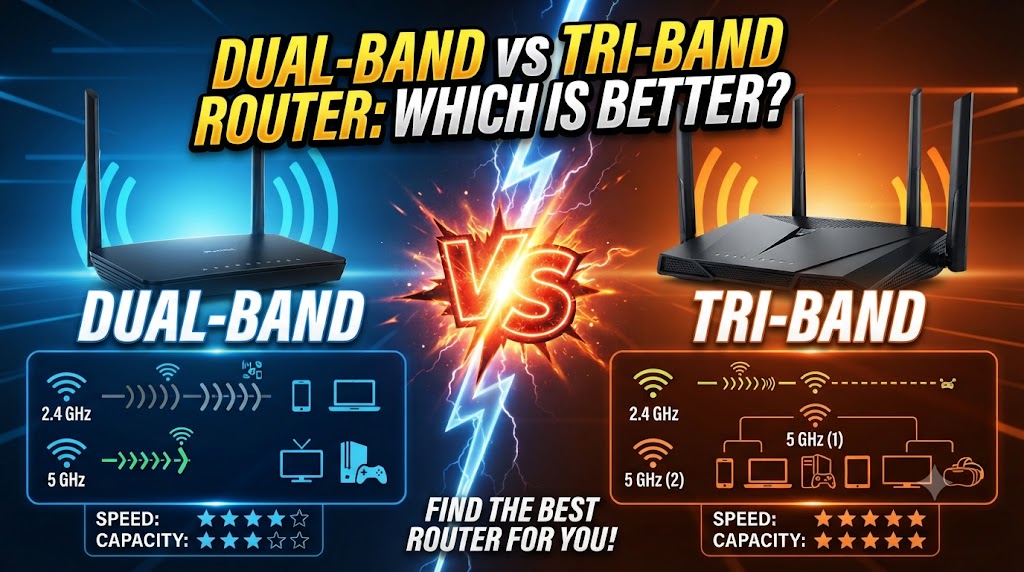
Dual-Band vs Tri-Band Router
Choosing between a dual-band and tri-band router can be confusing, especially when both options support modern Wi-Fi devices. The main difference is the number of wireless bands available. A dual-band router normally uses 2.4 GHz and 5 GHz, while a tri-band router adds another wireless band. Depending on the Wi-Fi standard, that third band may be another 5 GHz band or a 6 GHz band. (Netgear Knowledge Base)
The right choice depends on how many devices you connect, the type of activities you perform, and whether your devices support newer Wi-Fi technologies. A dual-band router can be suitable for everyday browsing, streaming, and video calls, while a tri-band router can provide additional capacity for busy networks with many connected devices. (Netgear)
Dual-Band vs Tri-Band Router: Quick Comparison
| Feature | Dual-Band Router | Tri-Band Router |
|---|---|---|
| Wireless bands | Usually 2.4 GHz + 5 GHz | Three wireless bands |
| Common Wi-Fi 5/6 configuration | 2.4 GHz + 5 GHz | 2.4 GHz + two 5 GHz bands |
| Wi-Fi 6E configuration | Usually not 6 GHz | 2.4 GHz + 5 GHz + 6 GHz |
| Network capacity | Good | Higher |
| Multiple-device handling | Good for typical homes | Better for busy networks |
| Congestion management | Good | More wireless capacity |
| Cost | Usually lower | Usually higher |
| Best for | Everyday home use | Heavy and multi-device use |
| 6 GHz support | No, unless specifically supported | Available on compatible Wi-Fi 6E/7 models |
| Best choice for mesh backhaul | Depends on system | Often useful |
What Is a Dual-Band Router?
A dual-band router provides two wireless frequency bands: 2.4 GHz and 5 GHz.
The 2.4 GHz band generally provides longer range, while the 5 GHz band can provide higher speeds at shorter distances. Using both bands allows compatible devices to connect to the band that better suits their requirements. (Intel)
For example, smart home devices that require relatively little bandwidth can use 2.4 GHz, while a laptop or phone used for high-speed streaming can use 5 GHz.
Advantages of a Dual-Band Router
- Supports both 2.4 GHz and 5 GHz.
- Suitable for everyday internet use.
- Generally costs less than comparable tri-band models.
- Works with a wide range of Wi-Fi devices.
- Can handle browsing, streaming, video calls, and normal gaming.
- Provides a simple setup for many homes.
Limitations of a Dual-Band Router
The main limitation is that there are only two wireless bands. When many devices are active at the same time, the available wireless capacity has to be shared between them.
This does not automatically mean that a dual-band router will be slow. Actual performance also depends on the router’s Wi-Fi generation, channel width, connected devices, interference, internet connection, and physical obstacles.
What Is a Tri-Band Router?
A tri-band router uses three separate wireless bands. However, the exact configuration depends on the Wi-Fi technology.
Traditional Wi-Fi 5 and Wi-Fi 6 tri-band routers commonly use one 2.4 GHz band and two 5 GHz bands. Newer Wi-Fi 6E tri-band routers can use 2.4 GHz, 5 GHz, and 6 GHz instead. (Netgear Knowledge Base)
This additional band gives the network more wireless capacity. Devices can be distributed across the available bands instead of competing for capacity on only two bands.
Advantages of a Tri-Band Router
- Provides three wireless bands.
- Offers more overall wireless capacity.
- Can be useful when many devices are connected.
- Can reduce congestion by distributing devices across bands.
- Some models provide access to the 6 GHz band.
- Can be particularly useful for busy homes and compatible mesh systems.
Limitations of a Tri-Band Router
A tri-band router is not automatically faster for every device.
A device must support the relevant Wi-Fi band and technology to take advantage of it. For example, a 6 GHz connection requires compatible Wi-Fi 6E or newer equipment, along with support for 6 GHz operation in the relevant region. (Intel)
Tri-band routers can also cost more, so buying one may not provide a meaningful benefit if you have only a few devices and modest networking requirements.
Dual-Band vs Tri-Band Router: Band Configuration
One important point is that “tri-band” does not always mean 2.4 GHz + 5 GHz + 6 GHz.
For Wi-Fi 5 and Wi-Fi 6, a traditional tri-band router can have:
- 1 × 2.4 GHz
- 2 × 5 GHz
For Wi-Fi 6E, a tri-band router can instead have:
- 1 × 2.4 GHz
- 1 × 5 GHz
- 1 × 6 GHz
This distinction is important when comparing routers. Always check the actual supported bands rather than choosing a router simply because its product name says “tri-band.” (Netgear Knowledge Base)
Dual-Band vs Tri-Band Router for Speed
A tri-band router can offer more wireless capacity, but that does not mean your internet speed will automatically increase.
Your actual internet performance depends on several factors, including your internet plan, router capabilities, Wi-Fi standard, client device, distance, interference, and network traffic. (Intel)
For example, if your internet connection is relatively slow and only a few devices are connected, a tri-band router may not provide a noticeable speed improvement.
On the other hand, a busy home with many phones, computers, TVs, cameras, smart devices, and gaming systems can benefit from additional wireless capacity.
Dual-Band vs Tri-Band Router for Multiple Devices
This is one of the biggest differences between the two options.
A dual-band router has two wireless bands, so connected devices share capacity across those bands. A tri-band router provides an additional band that can help distribute network traffic. (Netgear Knowledge Base)
Consider a home with:
- Several smartphones
- Multiple laptops
- Smart TVs
- Security cameras
- Gaming consoles
- Smart speakers
- IoT devices
When many devices are active simultaneously, the additional band on a tri-band router can be useful.
However, the exact benefit depends on how the router manages band assignment and how the connected devices use the network.
Dual-Band vs Tri-Band Router for Gaming
For gaming, the number of bands is only one factor.
A stable connection, low latency, good signal strength, and suitable Wi-Fi hardware are also important. A tri-band router can help in a busy household because other devices can use different wireless bands while a gaming device uses a suitable band.
However, a dual-band router can also work well for gaming when the network is not heavily congested.
Therefore, choosing a tri-band router solely because it says “gaming” is not enough. Check the complete networking specifications.
Dual-Band vs Tri-Band Router for Streaming
Both router types can support video streaming.
A dual-band router can be sufficient for normal streaming when the number of active devices is moderate. A tri-band router can be useful when several people are streaming simultaneously or when the home has many other connected devices.
Higher-frequency bands such as 5 GHz and 6 GHz can provide higher speeds than 2.4 GHz, although their effective range can be shorter. (Intel)
Dual-Band vs Tri-Band Router for a Large Number of Devices
If your home has a large number of connected devices, tri-band can become more useful.
The third band provides additional wireless capacity. This can help distribute devices and reduce competition for airtime.
Still, the number of devices alone should not determine your decision. Ten lightly used smart devices can create a very different network load from ten devices simultaneously streaming, gaming, or transferring large files.
Dual-Band vs Tri-Band Router for Mesh Wi-Fi
Tri-band technology can be particularly useful in mesh Wi-Fi systems.
Some tri-band mesh systems use one band as a dedicated wireless backhaul between the main router and satellite nodes. This allows communication between mesh units to use a separate wireless path instead of competing directly with client devices. (Netgear Knowledge Base)
However, not every tri-band router or mesh system uses its third band in the same way. Always check whether the additional band is available for client devices or dedicated to backhaul.
Is a Tri-Band Router Always Better?
No.
A tri-band router provides additional wireless capacity, but that does not automatically make it the better purchase for every household.
A dual-band router can make more sense when:
- You have a small or medium-sized home.
- You have a moderate number of devices.
- Most of your usage is browsing and normal streaming.
- You do not need 6 GHz.
- You want to keep networking costs lower.
A tri-band router can make more sense when:
- Many devices are connected simultaneously.
- Several people use the network heavily.
- You have high-bandwidth activities such as gaming and streaming.
- You are building a mesh Wi-Fi system.
- Your devices support the third wireless band.
- You want additional wireless capacity.
Dual-Band vs Tri-Band Router: Which One Should You Choose?
The answer depends on your network requirements.
Choose a dual-band router if you need a capable home router for everyday browsing, streaming, video calls, smart devices, and normal gaming without a very large number of simultaneous connections.
Choose a tri-band router if your home has heavier network traffic, many active devices, or a mesh setup where an additional band can be useful for wireless backhaul.
If you are specifically interested in 6 GHz, do not simply look for the term “tri-band.” Check whether the router supports Wi-Fi 6E or Wi-Fi 7 and the 6 GHz band, because traditional Wi-Fi 5 and Wi-Fi 6 tri-band routers can instead use two 5 GHz bands. (Netgear Knowledge Base)
Dual-Band vs Tri-Band Router: Final Comparison
| Requirement | More Suitable Option |
|---|---|
| Basic home internet | Dual-band |
| Moderate number of devices | Dual-band |
| Many simultaneous devices | Tri-band |
| Heavy streaming | Tri-band can be useful |
| Busy gaming household | Tri-band can be useful |
| Simple home setup | Dual-band |
| Lower networking cost | Dual-band |
| More wireless capacity | Tri-band |
| Wi-Fi 6E 6 GHz support | Tri-band Wi-Fi 6E model |
| Mesh with wireless backhaul | Tri-band can be useful |
Conclusion
The main difference between a dual-band and tri-band router is the amount of wireless capacity available. A dual-band router uses two wireless bands and can be sufficient for many homes. A tri-band router adds another band, which can help distribute traffic and handle heavier network activity.
The important point is that more bands do not automatically mean faster internet. Your internet plan, Wi-Fi standard, connected devices, distance, interference, and router design all affect real-world performance.
For a normal home network, dual-band may provide everything you need. For a busy network with many active devices or a suitable mesh setup, tri-band can provide additional capacity. The best choice therefore depends on your devices, usage, and network requirements.
Disclaimer
Wi-Fi performance can vary depending on the router model, Wi-Fi standard, connected devices, internet plan, distance, walls, interference, network traffic, firmware, and local wireless regulations. Tri-band configurations can also differ between Wi-Fi generations. Specifications and features may change over time, so check the manufacturer’s latest specifications before purchasing a router.