Wi-Fi 6E vs Wi-Fi 7
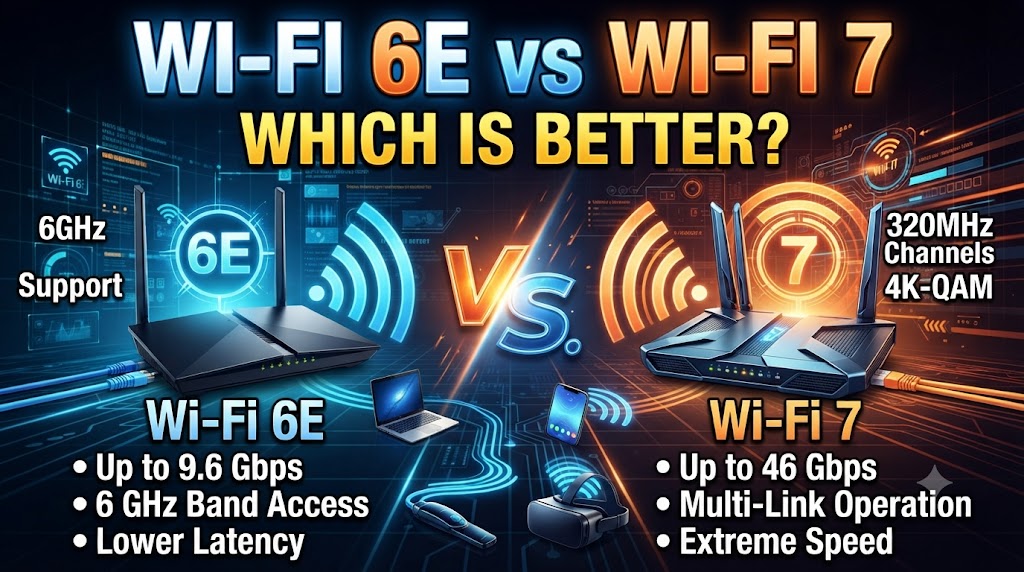
Wi-Fi 6E and Wi-Fi 7 are designed for newer wireless networks, but they represent different generations of Wi-Fi technology. Wi-Fi 6E extends Wi-Fi 6 into the 6GHz band, while Wi-Fi 7 is based on the newer 802.11be standard and introduces technologies such as Multi-Link Operation (MLO), wider 320MHz channels, and 4096-QAM. These changes are designed to improve throughput, efficiency, latency, and reliability on compatible networks.
The choice between Wi-Fi 6E vs Wi-Fi 7 depends on your devices, internet connection, budget, and how demanding your wireless network is. Wi-Fi 6E can already provide fast 6GHz connectivity for compatible devices, while Wi-Fi 7 is aimed at newer and more demanding applications. A Wi-Fi 7 router does not automatically make older devices perform like Wi-Fi 7 devices because the client device also needs compatible hardware.
Quick Comparison: Wi-Fi 6E vs Wi-Fi 7
| Feature | Wi-Fi 6E | Wi-Fi 7 |
|---|---|---|
| Wi-Fi Standard | 802.11ax | 802.11be |
| Frequency Bands | 2.4GHz + 5GHz + 6GHz | 2.4GHz + 5GHz + 6GHz |
| 6GHz Support | Yes | Yes |
| OFDMA | Yes | Yes |
| MU-MIMO | Yes | Yes |
| Maximum Channel Width | Up to 160MHz | Up to 320MHz |
| Modulation | Up to 1024-QAM | Up to 4096-QAM |
| Multi-Link Operation | No | Yes |
| Main Advantage | Access to 6GHz spectrum | Higher throughput, efficiency and multi-link capability |
| Best For | Fast modern home networks | High-performance and newer Wi-Fi 7 devices |
| Device Requirement | Wi-Fi 6E-compatible device for 6GHz | Wi-Fi 7-compatible device for Wi-Fi 7 features |
What Is Wi-Fi 6E?
Wi-Fi 6E is an extension of Wi-Fi 6 technology into the 6GHz band. It uses the 802.11ax standard and retains many of the technologies introduced with Wi-Fi 6.
The main advantage of Wi-Fi 6E is additional spectrum. The 6GHz band gives compatible devices another part of the wireless spectrum to use, which can help reduce congestion and provide access to wider channels where permitted.
Advantages of Wi-Fi 6E
- Supports the 6GHz band
- Can provide high-speed wireless connections
- Helps reduce congestion by using additional spectrum
- Supports OFDMA and MU-MIMO
- Supports wide 160MHz channels
- Works well with newer smartphones, laptops and other compatible devices
Wi-Fi 6E can therefore be a strong option for users who want 6GHz connectivity without necessarily needing the newer features of Wi-Fi 7.
What Is Wi-Fi 7?
Wi-Fi 7 is based on IEEE 802.11be and builds on previous Wi-Fi generations.
Intel’s Wi-Fi technology information identifies Wi-Fi 7 with features including Multi-Link Operation, 320MHz channels and 4096-QAM. These technologies are designed to increase throughput and improve wireless efficiency.
One important difference is that Wi-Fi 7 can use multiple wireless links together through Multi-Link Operation.
Advantages of Wi-Fi 7
- Supports 2.4GHz, 5GHz and 6GHz bands
- Supports Multi-Link Operation
- Supports channels up to 320MHz
- Uses 4096-QAM
- Designed for higher throughput
- Can improve reliability and latency in suitable conditions
- Better suited to newer high-performance wireless applications
The actual benefits depend on both the router and the connected client device.
Wi-Fi 6E vs Wi-Fi 7: Main Difference
The simplest way to understand the difference is:
Wi-Fi 6E adds 6GHz to Wi-Fi 6.
Wi-Fi 7 adds several new technologies on top of the previous generations.
Both can use the 6GHz band, but Wi-Fi 7 can make more advanced use of available wireless resources.
The biggest Wi-Fi 7 differences include:
- Multi-Link Operation
- 320MHz channel support
- 4096-QAM
- More advanced traffic handling
Wi-Fi 6E vs Wi-Fi 7: Speed
Wi-Fi 7 has a higher theoretical maximum throughput than Wi-Fi 6E because it can use wider channels, higher-order modulation, and Multi-Link Operation.
However, theoretical maximum speed is not the same as the internet speed you will actually experience.
Real-world performance depends on:
- Router capability
- Client device capability
- Internet plan
- Distance from the router
- Walls and obstacles
- Channel availability
- Network congestion
- Number of connected devices
For example, upgrading from a 500Mbps internet plan to a Wi-Fi 7 router does not turn the internet connection into a multi-gigabit connection.
Which Is Faster?
Wi-Fi 7 has greater theoretical wireless capability than Wi-Fi 6E.
But whether you actually experience a significant speed increase depends on the devices and network conditions.
Wi-Fi 6E vs Wi-Fi 7: 320MHz Channels
One important Wi-Fi 7 feature is support for channels up to 320MHz.
Wi-Fi 6E can support 160MHz channels, while Wi-Fi 7 can use up to 320MHz where the necessary spectrum and regulations allow it.
A wider channel can provide more capacity for data transmission.
However, wider channels are not automatically better in every environment. Their availability depends on spectrum, router capabilities, client support, and local regulatory conditions.
Wi-Fi 6E vs Wi-Fi 7: 4096-QAM
Wi-Fi 7 introduces 4096-QAM, compared with the 1024-QAM used by Wi-Fi 6/6E.
QAM is a modulation technique used to encode more data into a wireless signal.
Higher-order modulation can increase data rates when signal quality is good enough.
This means the benefit of 4096-QAM is more noticeable under favorable wireless conditions. It should not be interpreted as a guaranteed speed increase at every distance.
Wi-Fi 6E vs Wi-Fi 7: Multi-Link Operation
Multi-Link Operation, commonly called MLO, is one of the most important Wi-Fi 7 features.
Instead of relying on a single wireless link, compatible Wi-Fi 7 devices can use multiple links across supported bands in ways designed to improve throughput, latency, or reliability.
This is different from simply having a tri-band router.
A router having 2.4GHz, 5GHz and 6GHz bands does not by itself mean that one device is using all three simultaneously. Wi-Fi 7’s MLO is a specific technology designed to coordinate multiple links.
Wi-Fi 6E vs Wi-Fi 7: Range
Neither Wi-Fi 6E nor Wi-Fi 7 changes the basic behavior of radio frequencies.
The 2.4GHz band generally travels farther and penetrates obstacles better than 5GHz and 6GHz.
The 6GHz band can provide excellent high-speed performance at suitable distances, but its higher frequency can be more affected by walls and other obstacles.
Wi-Fi 7 does not automatically mean longer range.
Which Is Better for a Large House?
The answer depends on router placement, building construction, mesh configuration, antennas, and which frequency band the devices use.
For a large house, a properly designed mesh network can be more important than simply choosing between Wi-Fi 6E and Wi-Fi 7.
Wi-Fi 6E vs Wi-Fi 7 for Gaming
Both Wi-Fi 6E and Wi-Fi 7 can be suitable for gaming.
Wi-Fi 6E can provide a relatively clean 6GHz connection for compatible gaming PCs, laptops, and other devices.
Wi-Fi 7 adds features such as MLO that can help improve connection efficiency and reliability on compatible hardware.
However, gaming performance also depends heavily on the internet connection and game server.
A Wi-Fi 7 router cannot eliminate latency caused by a distant game server or an overloaded internet connection.
Wi-Fi 6E vs Wi-Fi 7 for Streaming
Both technologies can support demanding streaming applications when the network is properly configured.
Wi-Fi 6E is already capable of handling high-bandwidth streaming on compatible devices.
Wi-Fi 7 provides additional wireless capacity that can become useful when several high-bandwidth devices are active at the same time.
For a normal home with one or two streaming devices, the difference may not be very noticeable.
Wi-Fi 6E vs Wi-Fi 7 for Multiple Devices
Wi-Fi 6E already provides three frequency bands:
- 2.4GHz
- 5GHz
- 6GHz
This gives compatible networks additional spectrum for connected devices.
Wi-Fi 7 goes further with technologies designed to manage wireless resources more efficiently.
MLO is particularly relevant when compatible devices need high throughput or improved reliability.
For a household with many newer Wi-Fi devices, Wi-Fi 7 can offer more advanced capabilities. But those devices must actually support Wi-Fi 7 to benefit from its new features.
Wi-Fi 6E vs Wi-Fi 7: Compatibility
This is an important point before upgrading.
A Wi-Fi 7 router can connect to older Wi-Fi devices, but those devices will use the Wi-Fi features they support.
For example, an older Wi-Fi 5 device does not become a Wi-Fi 7 device just because it is connected to a Wi-Fi 7 router.
Similarly, a Wi-Fi 6E laptop can use 6GHz but cannot use Wi-Fi 7-only features such as MLO unless the hardware supports Wi-Fi 7.
Do You Need Wi-Fi 7 Devices?
Yes, if you want to take full advantage of Wi-Fi 7 features.
You generally need compatible hardware at both ends of the connection:
Wi-Fi 7 router + Wi-Fi 7 client device
for the client to use Wi-Fi 7-specific capabilities.
Wi-Fi 6E vs Wi-Fi 7: Internet Speed
Your internet plan remains an important limitation.
Suppose your broadband connection is 300Mbps. A Wi-Fi 7 router does not automatically turn that connection into a multi-gigabit internet connection.
The main benefit may instead be inside your local network.
For example, high-speed local file transfers between compatible computers, network storage, and other devices can make better use of a high-capacity wireless network.
Wi-Fi 6E vs Wi-Fi 7 for Home Use
For ordinary activities such as:
- Web browsing
- YouTube
- Netflix
- Video calls
- Online classes
- Smart-home devices
- CCTV
- General gaming
Wi-Fi 6E can already provide strong performance when the network and devices are compatible.
Wi-Fi 7 becomes more interesting when you have newer devices and more demanding networking requirements.
Wi-Fi 6E vs Wi-Fi 7: Which Router Should You Buy?
Choose Wi-Fi 6E if:
- You want access to 6GHz
- Your devices support Wi-Fi 6E
- You want a modern high-speed network
- Your 5GHz network is congested
- You do not need Wi-Fi 7-specific features
- You want to avoid paying extra for capabilities you may not use
Choose Wi-Fi 7 if:
- You have Wi-Fi 7-compatible devices
- You need very high wireless throughput
- You transfer large files over a local network
- You have multiple high-performance wireless devices
- You want features such as MLO
- You are building a new high-performance wireless network
Is Wi-Fi 7 Always Better Than Wi-Fi 6E?
Wi-Fi 7 is a newer generation with more advanced capabilities, but that does not mean every user will see a large practical improvement.
For example, if your devices are mostly Wi-Fi 5 or Wi-Fi 6, buying an expensive Wi-Fi 7 router may not provide the full benefit of its features.
Similarly, if your internet connection is relatively modest and your existing Wi-Fi 6E network already provides reliable coverage and speed, an upgrade may have limited practical impact.
The value of Wi-Fi 7 depends on whether your network can actually use its additional capabilities.
Wi-Fi 6E vs Wi-Fi 7: Final Comparison
Wi-Fi 6E and Wi-Fi 7 both support the 6GHz band, but Wi-Fi 7 adds several newer technologies designed for higher performance and more efficient wireless communication.
Wi-Fi 6E is focused on bringing Wi-Fi 6 capabilities into the additional 6GHz spectrum. Wi-Fi 7 builds further with features such as Multi-Link Operation, up to 320MHz channels, and 4096-QAM.
For many normal homes, Wi-Fi 6E can already provide excellent wireless performance. Wi-Fi 7 becomes more relevant when you have compatible devices, demanding workloads, high-speed local networking, or a need for its newer features.
The right choice therefore depends on your devices, internet plan, network environment, and actual performance requirements rather than simply choosing the newer Wi-Fi generation.
Disclaimer
Wi-Fi performance depends on the router, client device, channel width, distance, obstacles, interference, internet connection, and local spectrum regulations. Wi-Fi 7 features may require compatible hardware at both ends of the connection. Specifications, availability, and supported features may change, so check the manufacturer’s current specifications before purchasing networking equipment.