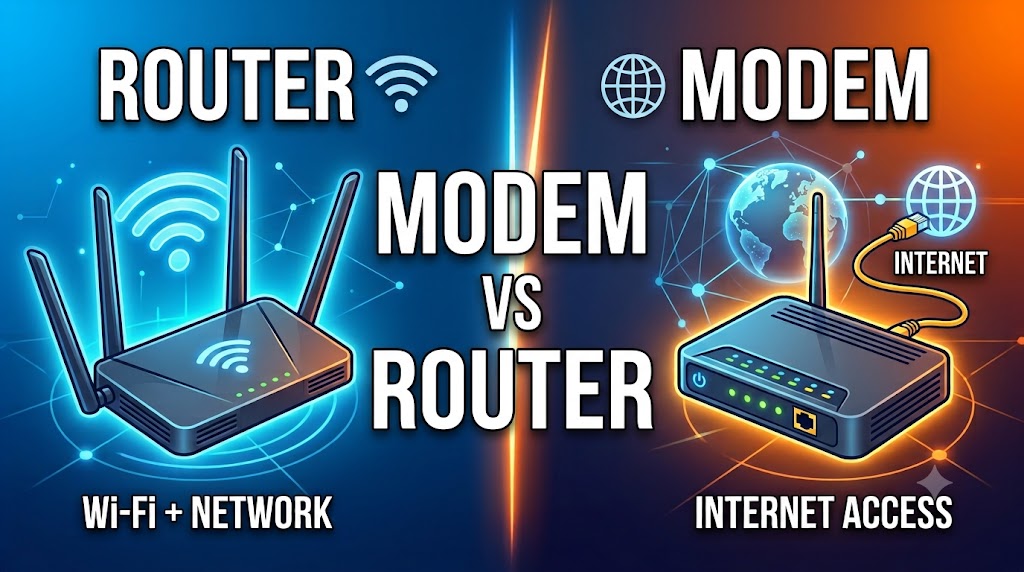
Router vs Modem
Introduction: What Is a Router?
A router is a networking device that connects different networks and directs IP traffic between them. In a typical home setup, the router connects your local home network to the internet connection provided through your modem or another internet access device. A router can also allow multiple devices to share the connection and, depending on the model, may provide Wi-Fi, Ethernet ports, firewall functions, and other networking features. The router’s main role is to manage communication between your local network and other networks, including the internet.
Introduction: What Is a Modem?
A modem is a device that provides the connection between your local network equipment and an internet service provider’s access network, depending on the type of internet service. The term modem comes from “modulator-demodulator,” reflecting its historical role in converting signals between different forms. Modern broadband technologies use different types of access equipment, including cable modems and DSL modems, while fiber connections commonly use an optical network terminal or similar equipment rather than a traditional modem. A modem or equivalent access device does not perform the same primary job as a router.
Quick Comparison Table
| Feature | Router | Modem |
|---|---|---|
| Main purpose | Connects and routes between networks | Connects to the ISP access network |
| Internet access | Manages network access | Provides the access connection |
| IP routing | Yes | Not its primary function |
| Wi-Fi | Common in home routers | Usually not by itself |
| Ethernet ports | Common | Depends on device |
| Connects multiple local devices | Yes | Not normally its main role |
| Network address management | Can provide DHCP/NAT depending on configuration | Not its primary role |
| Connects directly to ISP line | Usually through modem/ONT or integrated device | Yes, depending on service |
| Can work alone for typical home internet | Usually needs an internet access device | Usually needs a router for multiple local devices |
| Main role | Local/network-to-network communication | Internet access connection |
| Overall | 🏆 Essential for local networking | 🏆 Essential for access on applicable services |
Router vs Modem: Main Difference
The simplest way to understand the difference is:
Modem/access device = connects your home to the ISP’s access network.
Router = manages communication between your local network and other networks.
For a traditional cable or DSL setup, the connection may look like:
Internet Service → Modem → Router → Your Devices
The modem communicates with the ISP’s access network, while the router creates and manages the local network.
However, many modern internet providers supply a combined gateway device that contains modem and router functions in one unit.
Practical meaning:
A modem and router are not simply two names for the same device. They perform different networking functions, although manufacturers and ISPs sometimes combine those functions into one box.
🏆 Winner: Depends on the Job
Router vs Modem: How They Work
Router
A router examines network-layer information such as IP addresses and determines where packets should be forwarded. In a home network, it commonly sits between the local network and the internet access connection.
Many home routers also provide Wi-Fi and Ethernet connectivity, allowing several devices to communicate through the same local network.
Modem
A modem or equivalent broadband access device communicates with the ISP’s access technology. Its exact operation depends on whether the service uses cable, DSL, or another technology.
For fiber internet, the corresponding access device is often an ONT (Optical Network Terminal) rather than a traditional modem.
Practical meaning:
The router manages network traffic, while the modem or access device provides the connection to the ISP’s network.
🏆 Winner: Tie — Different Functions
Router vs Modem: Internet Connection
Router
A router normally does not create the physical broadband service itself. Instead, it uses an available WAN connection to connect the local network to the internet.
A home router can then distribute that internet connection to multiple wired and wireless devices.
Modem
For cable or DSL broadband, the modem provides the interface between the customer’s equipment and the ISP’s access network.
The exact technology depends on the internet service.
Practical meaning:
If you have a traditional cable or DSL service, the modem is an important part of getting the internet connection into your home, while the router distributes and manages that connection locally.
🏆 Winner: Modem for ISP Access
Router vs Modem: Wi-Fi
Router
Many consumer routers include built-in Wi-Fi. This allows smartphones, laptops, tablets, smart TVs, and other compatible devices to connect wirelessly to the local network.
The exact Wi-Fi standard and performance depend on the router model.
Modem
A basic modem does not necessarily provide Wi-Fi.
Some ISP-provided devices combine modem and router functions and may therefore provide Wi-Fi. In that situation, the Wi-Fi comes from the router/gateway functionality rather than being an inherent requirement of the modem function.
Practical meaning:
If you need Wi-Fi, check whether your device is a router or a modem-router gateway rather than assuming every modem provides wireless networking.
🏆 Winner: Router
Router vs Modem: Connecting Multiple Devices
Router
A router is designed to provide local network connectivity. Home routers commonly offer Ethernet ports and Wi-Fi, allowing multiple devices to connect to the same local network.
Modem
A basic modem generally has a more limited role and is not intended to act as the central device for a large local network.
Some modem-router gateway devices combine both functions.
Practical meaning:
If you want to connect several computers, phones, smart TVs, cameras, or other devices, the router function is what creates the practical local network.
🏆 Winner: Router
Router vs Modem: IP Address Management
Router
Home routers commonly provide services such as DHCP, which can automatically assign local IP addresses to connected devices. Many also perform Network Address Translation (NAT) in typical IPv4 home configurations.
Modem
A basic modem does not normally perform these local-network management functions as its primary role.
A combined gateway may provide them because it contains router functionality.
Practical meaning:
For managing the addresses and communication of devices inside your home network, the router is the relevant component.
🏆 Winner: Router
Router vs Modem: Ethernet Ports
Router
Home routers commonly include several Ethernet ports for connecting wired devices. Some models also provide higher-speed Ethernet ports.
Modem
A modem may provide an Ethernet port for connecting to a router or another network device, but the exact port configuration varies by model and technology.
A modem should not automatically be considered an Ethernet switch.
Practical meaning:
If you need multiple wired connections, look at the router or add a network switch when necessary.
🏆 Winner: Router
Router vs Modem: Security Features
Router
Many modern routers include network security features such as firewall functionality, access controls, parental controls, guest networks, VPN-related features, or other capabilities depending on the model.
Modem
A basic modem’s primary job is to provide the broadband access connection. Security and local network management are generally associated with the router portion of a home network.
A combined gateway may include security functions because it also contains routing functionality.
Practical meaning:
For controlling devices and managing the security of your local network, router capabilities are generally more important.
🏆 Winner: Router
Router vs Modem: Speed
Router
Router performance depends on factors such as WAN and LAN port speeds, routing hardware, Wi-Fi technology, configuration, and network traffic.
Modem
Modem performance depends on the access technology, supported standards, ISP service, and device capabilities.
The internet speed you experience is therefore not determined by the router or modem alone.
Practical meaning:
When upgrading your internet equipment, check the specifications of both the access device and router, along with your ISP’s service requirements.
🏆 Winner: Depends on the Model and Internet Service
Router vs Modem: Can a Router Work Without a Modem?
The answer depends on the type of internet connection.
With traditional cable or DSL service, a separate modem may be required unless the router itself includes the appropriate modem function.
With some fiber services, an ONT or equivalent access device is used instead of a traditional modem.
Some routers can also connect directly to certain Ethernet-based internet services.
Practical meaning:
Do not assume every router needs a traditional modem. The required equipment depends on your ISP and access technology.
🏆 Winner: Depends on the Internet Service
Router vs Modem: Can a Modem Work Without a Router?
A modem can provide the connection to the ISP, but a basic modem does not normally provide the complete local networking functions of a home router.
If you connect a single compatible device directly to a modem, the exact behavior depends on the ISP, modem, and network configuration.
For a typical household with multiple devices, a router is generally needed to create and manage the local network.
Practical meaning:
A modem alone is generally not the complete solution for a normal multi-device home network.
🏆 Winner: Router for Local Networking
Router vs Modem: Modem-Router Combo
Many internet providers offer a gateway that combines modem and router functionality into a single device.
Instead of:
Modem → Router
you may have:
ISP → Modem/Router Gateway → Devices
This can simplify installation and reduce the number of physical devices.
However, a separate router may still be preferred by users who want more advanced Wi-Fi, network-management features, configuration options, or greater control over their home network.
Practical meaning:
A combined gateway can be convenient, while separate devices can provide more flexibility depending on the user’s requirements.
🏆 Winner: Depends on User’s Needs
Router vs Modem: Which Is Better for Home Use?
Router
A router is usually the central networking device inside a home. It can provide Wi-Fi, Ethernet connectivity, local IP addressing, routing, and other functions depending on the model.
Modem
A modem is relevant when the internet service uses a technology requiring a modem, such as certain cable or DSL services.
Fiber users may instead have an ONT or similar optical access device.
Practical meaning:
For most homes, you need router functionality to connect and manage your devices. Whether you also need a separate modem depends on the ISP’s access technology.
🏆 Winner: Router for Home Networking
Router vs Modem: Which One Do You Need?
You Need a Router If:
- You want to create a home or office network.
- You want Wi-Fi.
- You need to connect multiple devices.
- You need local IP address management.
- You want routing between your local network and other networks.
- You want greater control over your home network.
You Need a Modem If:
- Your ISP’s cable or DSL service requires one.
- Your existing equipment does not already include modem functionality.
You May Need an ONT Instead If:
Your internet connection is delivered through fiber and your provider uses an optical network terminal.
You May Need a Combined Gateway If:
Your ISP provides a device that combines modem and router functions.
🏆 Winner: Depends on the Internet Connection
Router vs Modem: Pros and Cons
| Device | Advantages | Limitations |
|---|---|---|
| Router | Creates and manages local networks, provides routing, often Wi-Fi and Ethernet, can provide network-management/security features | Does not necessarily provide the physical ISP access function required by cable/DSL services |
| Modem | Provides access to compatible ISP broadband networks | Does not normally provide the complete local networking features of a router |
| Modem-Router Gateway | Combines both functions and simplifies setup | Features and configuration options depend on the provider and model |
Final Comparison Table
| Feature | Router | Modem | Winner |
|---|---|---|---|
| Connects local network to other networks | Yes | Access connection role | 🏆 Router |
| ISP access connection | Usually through access device | Yes for applicable services | 🏆 Modem |
| Wi-Fi | Common | Not inherent to modem function | 🏆 Router |
| Multiple device connectivity | Yes | Limited as primary function | 🏆 Router |
| Local IP management | Yes | Not primary function | 🏆 Router |
| NAT | Common in home routers | Not primary function | 🏆 Router |
| Routing | Yes | No as primary function | 🏆 Router |
| Ethernet ports | Common | Varies | 🏆 Router |
| Security features | Often available | Limited in basic models | 🏆 Router |
| Cable internet | Usually works with modem/access device | Commonly required | 🏆 Depends |
| DSL internet | Usually works with DSL modem | Commonly required | 🏆 Depends |
| Fiber internet | Router usually connects after ONT/access device | Traditional modem not necessarily used | 🏆 Depends |
| Combined gateway | Router functionality included | Modem functionality included | 🏆 Depends |
| Overall | Local networking and routing | ISP access for applicable services | Depends on Need |
Final Verdict
The router and modem are not competing devices that normally replace each other. They perform different jobs.
A modem or appropriate broadband access device connects your home equipment to the ISP’s access network when required by the service. A router creates and manages the local network and routes traffic between that network and other networks.
For a traditional cable or DSL connection, you may need:
Internet Service → Modem → Router → Devices
For some modern services, especially fiber, the access device may be an ONT rather than a traditional modem.
Many ISPs also provide a combined modem-router gateway, which performs both functions in one unit.
Therefore, the right choice depends primarily on your internet technology and whether you need separate router functionality.
Simple rule to remember:
Modem/access device = connects you to the ISP.
Router = connects and manages your devices and networks.
Disclaimer
Internet equipment requirements vary by ISP, connection technology, region, and device model. Cable, DSL, fiber, and Ethernet-based services may use different access equipment. Check your ISP’s requirements before purchasing a modem, router, gateway, or ONT-related equipment.