2.4GHz vs 5GHz Wi-Fi
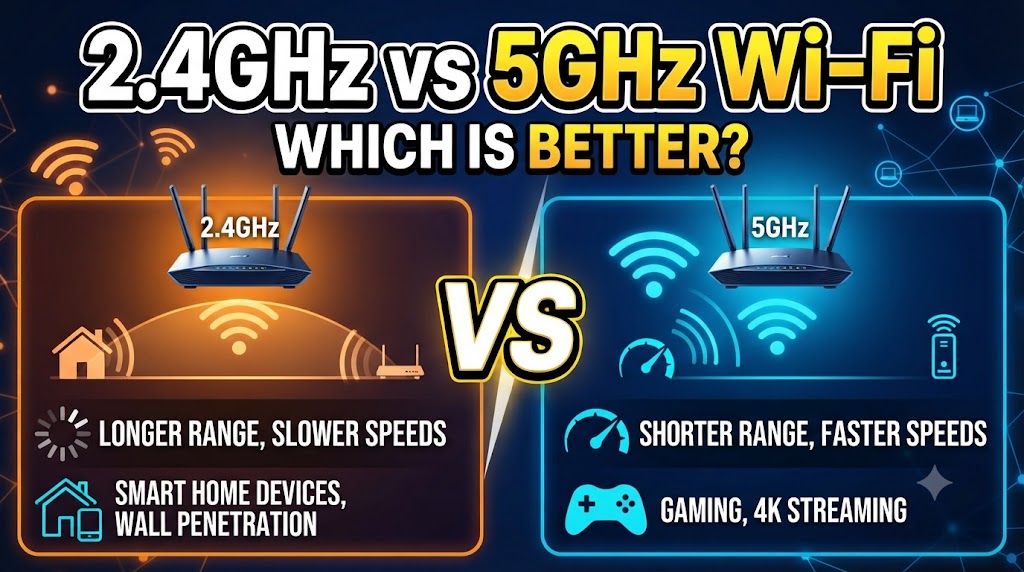
When choosing a Wi-Fi connection, you may notice two common options: 2.4GHz and 5GHz. Both are widely used by modern routers, but they are designed for different situations. The 2.4GHz band generally provides longer range, while 5GHz can provide higher speeds and more wireless capacity. (Intel)
The better option depends on your distance from the router, walls and obstacles, connected devices, network congestion, and the type of activity you are doing. For example, 5GHz can be useful for high-speed activities such as streaming, gaming, and video calls, while 2.4GHz can be useful for devices that are farther from the router or need wider coverage. (Intel)
2.4GHz vs 5GHz Wi-Fi: Quick Comparison
| Feature | 2.4GHz Wi-Fi | 5GHz Wi-Fi |
|---|---|---|
| Frequency | 2.4GHz | 5GHz |
| Typical range | Longer | Shorter |
| Typical speed | Lower | Higher |
| Wall penetration | Generally better | Generally weaker |
| Wireless congestion | Often higher | Often lower |
| Channel availability | More limited | More available |
| Best for | Longer-range connections | High-speed connections |
| Streaming | Good | Better when signal is strong |
| Gaming | Good with a stable signal | Often better for low-latency use |
| Smart home devices | Very suitable | Suitable when supported |
| Older Wi-Fi devices | Broad compatibility | Depends on device |
| Best location | Farther from router | Closer to router |
What Is 2.4GHz Wi-Fi?
2.4GHz Wi-Fi uses a lower radio-frequency band. Because it operates at a lower frequency than 5GHz, its wireless signals generally travel farther and can handle obstacles better. However, it normally offers lower data rates than 5GHz. (Intel)
The 2.4GHz band is also widely used by older wireless devices and other technologies. This can make it more crowded, particularly in areas where many nearby networks are operating. (Intel)
Advantages of 2.4GHz Wi-Fi
- Longer wireless range.
- Generally better coverage through walls.
- Useful for devices located farther from the router.
- Suitable for many smart home and IoT devices.
- Compatible with many older Wi-Fi devices.
- Useful when maximum speed is not the main requirement.
Limitations of 2.4GHz Wi-Fi
The biggest limitation is that 2.4GHz has less available spectrum than 5GHz. Cisco notes that the 2.4GHz band has only three non-overlapping 20MHz channels in common channel planning, which can contribute to congestion in busy environments. (Cisco)
As a result, performance can decrease when many nearby routers and devices are using the same band.
What Is 5GHz Wi-Fi?
5GHz Wi-Fi uses a higher frequency band that generally supports higher data rates and more channel capacity than 2.4GHz. It is commonly preferred for activities that require more bandwidth, such as high-quality video streaming, gaming, large downloads, and video conferencing. (Intel)
The trade-off is range. Higher-frequency Wi-Fi signals generally do not travel as far as 2.4GHz signals and can be affected more by walls and other physical obstacles. (Intel)
Advantages of 5GHz Wi-Fi
- Generally higher speeds.
- More available wireless spectrum.
- Useful for high-bandwidth activities.
- Often less crowded than 2.4GHz.
- Good choice for compatible phones, laptops, TVs, and gaming devices.
- Suitable for users who need faster local wireless connections.
Limitations of 5GHz Wi-Fi
The main limitation is shorter effective range compared with 2.4GHz.
If your device is far from the router or several walls are between the device and router, the 5GHz signal can become weaker. In that situation, a 2.4GHz connection may remain more usable.
However, actual performance varies with router design, device capabilities, interference, building materials, channel configuration, and network conditions. (Intel)
2.4GHz vs 5GHz Wi-Fi: Speed
If your main priority is speed, 5GHz generally has the advantage.
The higher-frequency band can support wider channels and higher data rates. Intel describes 5GHz as offering faster speeds than the legacy 2.4GHz band, although actual performance depends on the router, client device, channel configuration, interference, and other factors. (Intel)
For example, a laptop located near a compatible router may achieve much better wireless performance on 5GHz than on a congested 2.4GHz network.
But the fastest theoretical specification of a router does not guarantee the same speed in real-world use.
2.4GHz vs 5GHz Wi-Fi: Range
For range, 2.4GHz generally has the advantage.
Lower-frequency radio waves typically travel farther than higher-frequency waves. This makes 2.4GHz useful when a device is located farther away from the router. (Intel)
For example, a smart device in a room far from the router may maintain a more reliable 2.4GHz connection when the 5GHz signal has weakened.
However, walls, floors, furniture, building materials, router placement, and interference can all affect the actual coverage.
2.4GHz vs 5GHz Wi-Fi: Wall Penetration
2.4GHz generally performs better when the signal needs to travel through walls and other obstacles.
This does not mean that 2.4GHz will always work better in every building. The actual signal depends on the construction materials and distance between the router and device.
If the device is close to the router, the shorter range of 5GHz may not matter much.
2.4GHz vs 5GHz Wi-Fi: Interference
The 2.4GHz band is often more congested because it has been widely used for many years. Intel notes that the band can experience network clutter from legacy devices and neighboring wireless networks. (Intel)
5GHz generally has more available channels and can provide more room for wireless traffic. Cisco also describes 5GHz as well suited to higher-density Wi-Fi networks because of its larger channel availability. (Cisco)
Still, 5GHz is not immune to interference. Nearby networks and certain channel restrictions can also affect performance.
2.4GHz vs 5GHz Wi-Fi for Gaming
For gaming, 5GHz is often useful when the gaming device is reasonably close to the router.
Gaming does not simply depend on maximum download speed. A stable connection and low latency are also important. A strong 5GHz connection can provide the wireless performance needed for gaming while avoiding some of the congestion that can affect 2.4GHz networks.
However, a weak 5GHz signal can be less useful than a stable 2.4GHz connection. If the router is far away, improving the signal path or using a suitable mesh or wired connection may matter more than simply choosing a frequency band.
2.4GHz vs 5GHz Wi-Fi for Streaming
Both bands can support streaming.
For high-resolution streaming or multiple simultaneous streams, 5GHz can be preferable when the device has a strong connection because it generally offers higher data rates and more available spectrum. (Intel)
2.4GHz can still be suitable for normal streaming when the connection is stable and sufficient bandwidth is available.
Therefore, the best option depends on signal strength and network congestion rather than the frequency number alone.
2.4GHz vs 5GHz Wi-Fi for Smart Home Devices
2.4GHz is particularly useful for many smart home devices.
Smart plugs, sensors, cameras, doorbells, and other IoT devices often benefit from the wider coverage of 2.4GHz. Using 2.4GHz for suitable IoT devices can also leave the 5GHz band available for activities that require higher bandwidth. (Intel)
However, compatibility varies by product. Some newer smart devices may support 5GHz, while others may support only 2.4GHz.
Always check the device’s specifications before setting up the connection.
2.4GHz vs 5GHz Wi-Fi for a Large Home
For a large home, 2.4GHz can provide better reach, but that does not automatically solve coverage problems.
If the home has multiple floors or many rooms, a mesh Wi-Fi system or additional access point may provide a better solution than relying on 2.4GHz alone.
A practical setup can use 2.4GHz for devices that are farther away and 5GHz for devices located closer to the router.
2.4GHz vs 5GHz Wi-Fi for CCTV Cameras
2.4GHz can be useful for Wi-Fi CCTV cameras installed farther from the router.
A camera may not need extremely high bandwidth, but it does need a reasonably stable connection. The longer range of 2.4GHz can help when the camera is installed outside or in a distant room.
However, multiple cameras can create substantial network traffic. In such cases, router capacity, camera resolution, network design, and wired connections should also be considered.
Can 2.4GHz and 5GHz Work Together?
Yes. Modern dual-band routers commonly provide both bands.
Depending on the router, the two bands may appear as separate Wi-Fi network names or may be managed under a single network name using features designed to steer devices between available bands.
Using both bands can be useful because different devices have different requirements.
For example:
- Smart plug → 2.4GHz
- Wi-Fi camera → 2.4GHz
- Laptop near router → 5GHz
- Gaming console near router → 5GHz
- Smart TV near router → 5GHz
This approach can help distribute network traffic across the available wireless bands.
Which Is Better: 2.4GHz or 5GHz Wi-Fi?
There is no single choice that is better for every situation.
2.4GHz is more suitable when:
- The device is far from the router.
- There are several walls or obstacles.
- Longer coverage is important.
- The device is a compatible smart home product.
- Maximum speed is not the priority.
5GHz is more suitable when:
- The device is close to the router.
- Higher speed is important.
- You are streaming high-quality video.
- You are gaming over Wi-Fi.
- You frequently transfer large files.
- The 2.4GHz band is heavily congested.
2.4GHz vs 5GHz Wi-Fi: Final Comparison
| Requirement | More Suitable Band |
|---|---|
| Longer range | 2.4GHz |
| Higher speed | 5GHz |
| Better for distant devices | 2.4GHz |
| Better for nearby high-speed devices | 5GHz |
| Smart home devices | 2.4GHz often suitable |
| High-quality streaming | 5GHz when signal is strong |
| Gaming | 5GHz when signal is strong |
| Large file transfers | 5GHz |
| More wall coverage | 2.4GHz |
| Busy wireless environment | 5GHz can be useful |
| Older devices | 2.4GHz often has broader compatibility |
| Large home | Depends on coverage and network design |
Conclusion
The 2.4GHz vs 5GHz Wi-Fi choice mainly comes down to range versus speed and wireless capacity.
2.4GHz generally travels farther and can work better through obstacles, making it useful for distant devices and many smart home products. 5GHz generally provides higher speeds and more wireless capacity, making it useful for streaming, gaming, video calls, and other high-bandwidth activities. (Intel)
For many homes, the best approach is not to choose only one band. A dual-band router can use both 2.4GHz and 5GHz so that each device connects to the band that fits its location and requirements.
Disclaimer
Wi-Fi performance varies by router, client device, Wi-Fi standard, distance, walls, interference, channel configuration, network traffic, and internet connection. Actual speed and range may differ from theoretical or advertised values. Wireless channel availability and regulations can also vary by country or region. Check your router and device manufacturer’s latest specifications before making a purchase.